Detail - The configuration registry database is corrupt
One of the Windows XP virtual machines on my LAB was infected in a nasty way (Duuh!) and by nasty I mean persistent and annoying. In the end my trusty malware removal toolkit came to the rescue. After rebooting the system I was presented with an error prior to login in.
Windows was unable to load the registry. This is often caused by insufficient memory or insufficient security rights.
DETAIL - The configuration registry database is corrupt.
More than anything the error is annoying. The recommendation I received from Microsoft was to replace the affected user profile with a new one. While this is a valid recommendation, I knew there had to be an easier/automated solution. Then, I remembered that CCleaner comes with an integrated Registry Cleaner, it was worth a shot.
Registry Repair
- Start CCleaner
- Click on Registry
- Click on Scan for Issues and let it scan for issues
- When the scan is done click on Fix selected issues…
- And Reboot
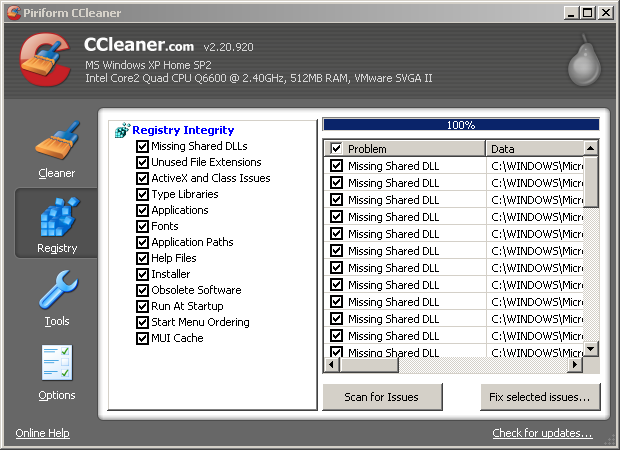 Keep in mind, I would not normally use a Registry Cleaner but this time it was necessary.
ccleaner, registry — Jun 5, 2009