Mount exFAT Formatted Drives In Ubuntu
ExFAT is an abbreviation for Extended File Allocation Table a file system intended for use in flash drives, exFAT main advantage over the more traditional FAT/FAT32 file system is that it can store a file larger than 4GB. With the increase in flash drive capacity FAT/FAT32 can be limiting. While exFAT sounds like the right solution it comes with inherit problems for users of Free Software such as Linux, you see exFAT is a file system created and patented by Microsoft meaning due to patents support for exFAT in Free Software is bound to be flaky. ExFAT adoption is not a problem for the Windows platform: by Windows XP (SP2), Vista, and 7 are already support exFAT. While not the best solution it is possible to mount exFAT formatted drives by using FUSE which is also an abbreviation for File system in Userspace, :( . 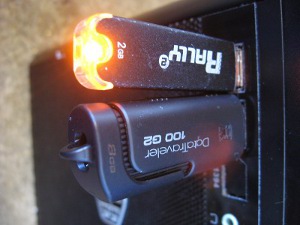
Installation and Configuration
Before you can make use of Fuse-exFAT you need to first install python-software-properties which includes add-apt-repository.
- This is required of you wish to continue with this tutorial, this package includes the tool needed to add the repository.
sudo apt-get install python-software-properties
- Add the new PPA (http://pre.google.com/p/exfat/).
sudo add-apt-repository ppa:relan/exfat
- Update the system.
sudo apt-get update
- Install Fuse-exFAT
sudo apt-get install fuse-exfat
- Create a directory where we can mount the drive.
sudo mkdir /media/exfat
- Mount the drive and specify the file system used by the flash drive.
mount -t exfat /dev/sdb1 /media/exfat
- Display the newly mounted exFAT drive.
user@ubuntu:~$ df -H
Filesystem Size Used Avail Use% Mounted on
/dev/sda1 54G 1.8G 49G 4% /
udev 186M 4.1k 186M 1% /dev
tmpfs 78M 279k 78M 1% /run
none 5.3M 0 5.3M 0% /run/lock
none 194M 0 194M 0% /run/shm
/dev/sdb1 2.1G 525k 2.1G 1% /media/exfat
There you have it, it might not be pretty but it works.
exfat, fat, linux, ubuntu — Apr 30, 2012